Automatically send messages to students based on course-level rules
Instructors can now create automations that send congratulatory or supportive messages to students based on custom rules set at the course level. Instructors define the score thresholds and write the messages. These automations help instructors deliver timely, personalized feedback throughout the course, boosting student engagement and saving time.
Follow these steps:
-
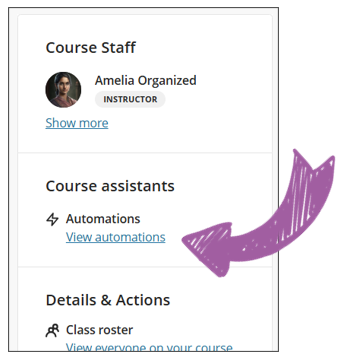
Locate the automations on the right-hand side of the screen under the Instructor information.
-
Add a new automation
-
There are two types of messages to add: congratulatory and supportive messages. Choose the applicable one and set the criteria.