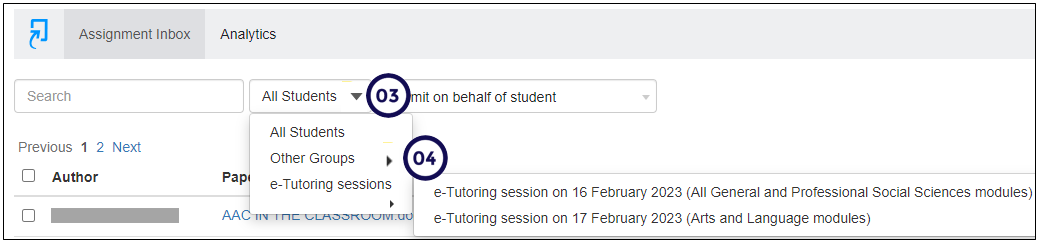
Scenario: I have 5 tutors who assist with grading the Turnitin assignments. I want each tutor to only see and grade the students submissions that were allocated to them. How will I go about to do this?
In order to mark Turnitin Assignments by groups, follow these steps:
- Create the marker groups.
- Access the relevant Turnitin assignment and make sure you are on the "Assignment Inbox".
- Click on the down arrow to the right of "All Students".
- Click on "Other Groups", and select the relevant group. Please see the example below: