All newly created courses for the year is by default set to closed to allow you to build your course for the new semester/year.
Open new courses from Course Settings.
Please do not close the module, as the PeopleSoft process requires the course to remain open. Education Innovation (EI) will batch complete all courses in March. If a course needs to remain open in the new semester, you can reopen it after it has been closed.
Access Course Settings from the Base Navigation page
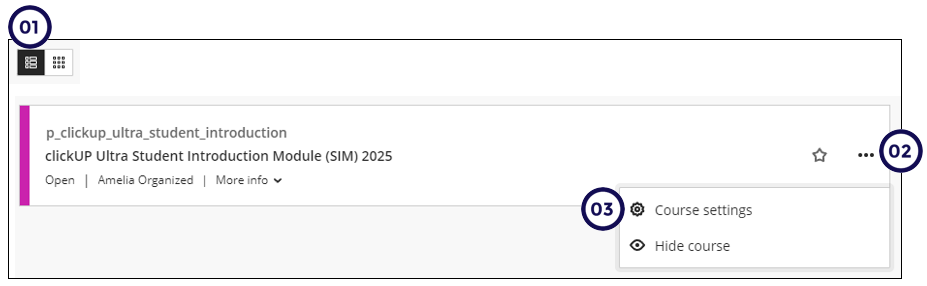
From course list:
- Click on Courses on the left-hand menu.
- Click on the course list icon
- Click on the elipses
- Click on Course settings.
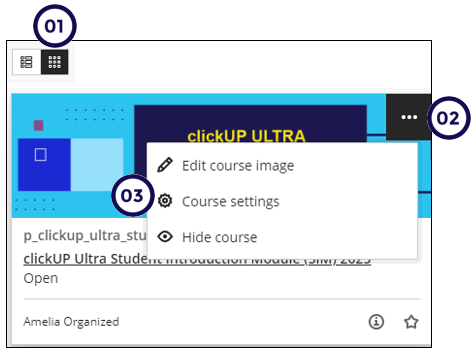
From course grid:
- Click on the course grid icon
- Click on the elipses
- Click on Course settings.
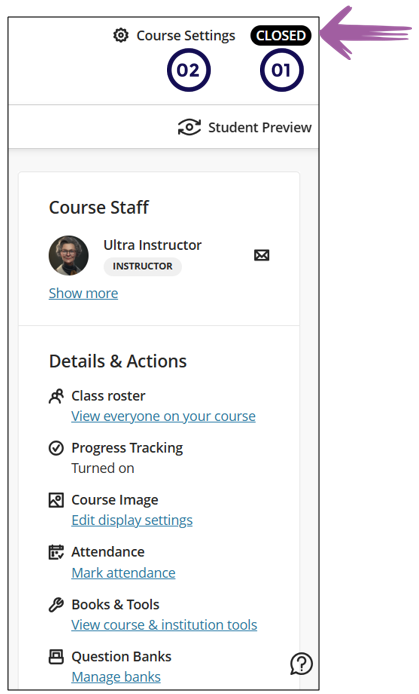
Access Course Settings from within a clickUP course
-
Number 1 indicates that the status of the course is visible at the top of the page.
-
Click on Course Settings to open the course.
-
Read the text on this section carefully.
-
Close/Open course
Select the applicable radio button to Open the course.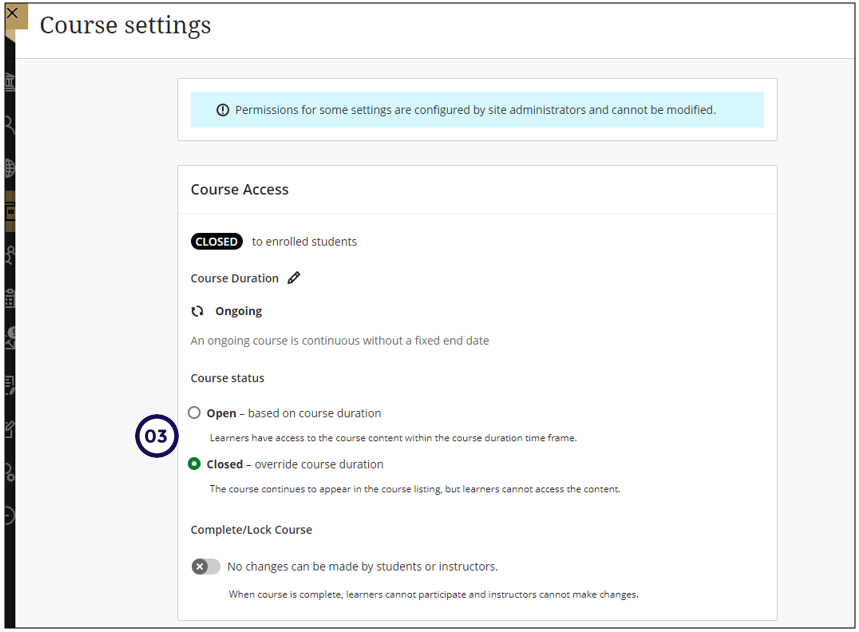
-
Complete Course
Do not click on this slider in front of Complete Course as it will completely lock the course! EI will complete the courses in batch based on the PeopleSoft integration.