Instructors can duplicate any item on the Course Content page except LTI items, with the copy retaining all content and settings from the original. This makes it faster to build consistent, repeating course structures.
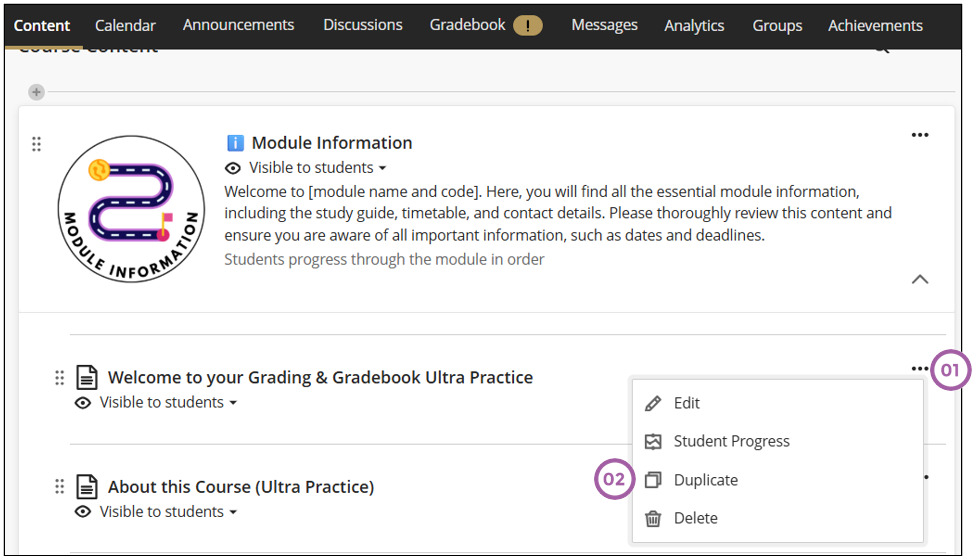
Locate the item you want to duplicate, then follow these steps to duplicate a content item:
- Click on the ellipses of the content item.
- Click on Duplicate.
Credit to Blackboard help