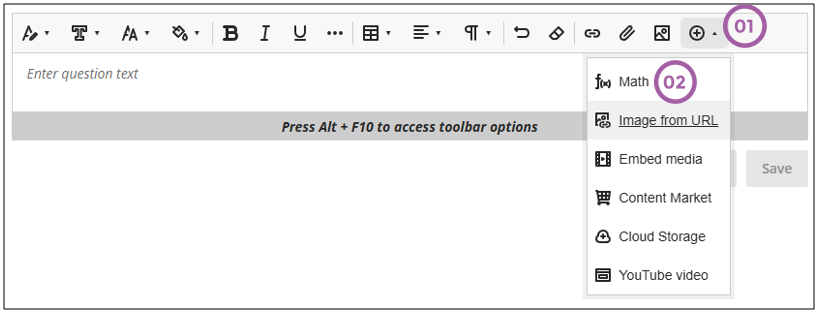
Wherever the text editor is displayed, instructors and students can launch the math editor to add mathematical expressions. Follow these steps:
- Click on the + icon.
- Click on Math.
This is what the math editor looks like:
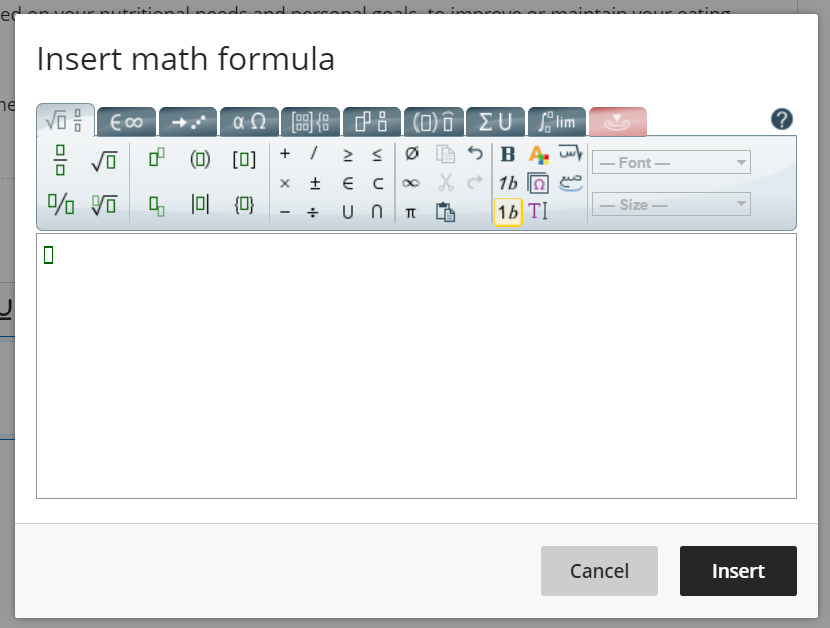
The math editor allows the following:
- Basic operations
- Matrix calculus
- Calculus and series
- Logic and set theory
- Units
- Greek alphabet
- Table of elements