Step E: Add instructions in clickUP
After inserting the video to clickUP you will need to update the Maximum points (by default the Maximum points is 10).
-
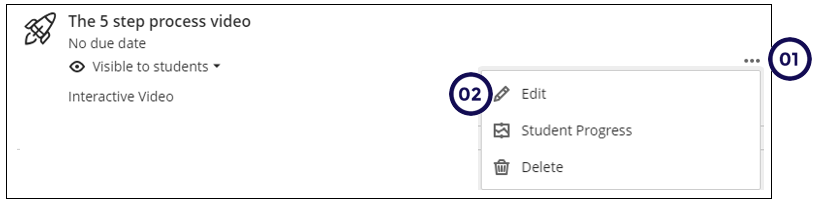
Click on the ellipsis.
-
Click on Edit.
-
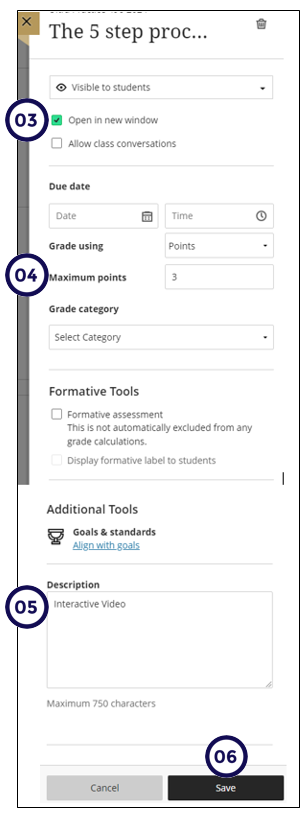
Select Open in new window.
-
Edit the points to be the same as the number of questions you have added in the video.
-
Type clear instructions in the description box. Students should know what they need to do with the content. For example: they will be required to answer questions which will appear throughout the video and whether they have multiple or single attempt to answer questions and which attempt will be considered for grading.
-
Click on Save.