How to see who accessed the course
- Updated on Feb 7, 2025
- Published on Jul 26, 2023
How do I see who accessed the course?
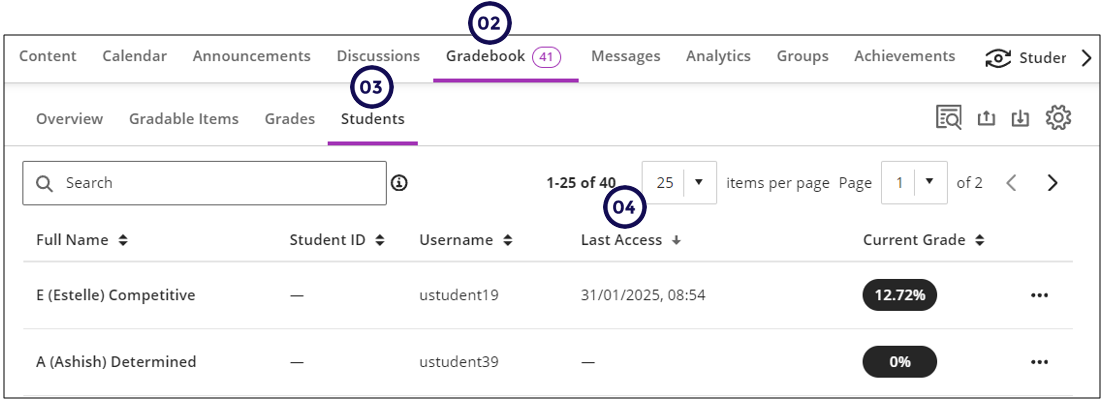
- Access the course.
- Click on the Gradebook.
- Click on the Students tab.
- Sort on Last Accessed until you see dashes in the column.
- Count the number of student who has dashes (Sorry!!)
Was this article helpful?
Related articles
Overview
Assessment Tools > Tests