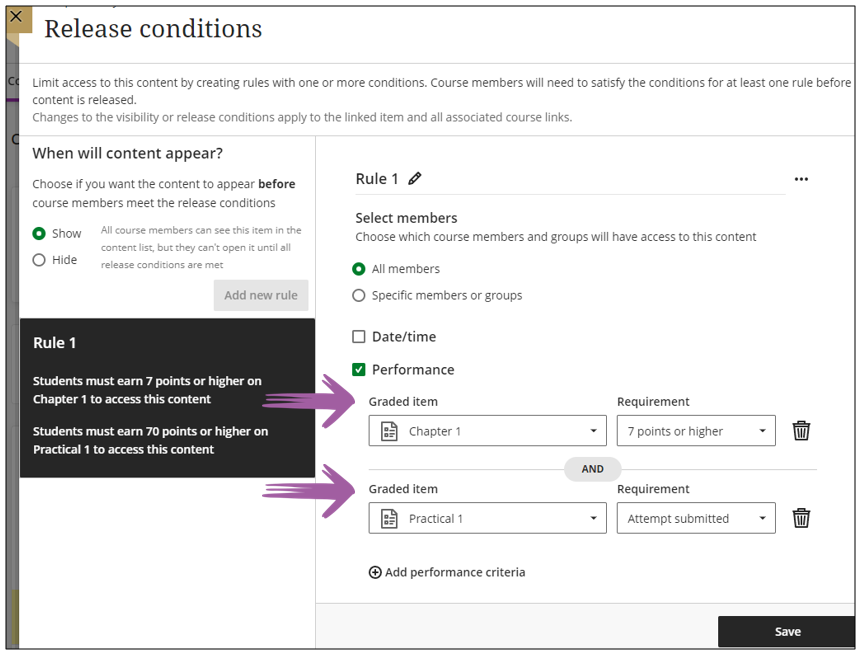
Multiple rules
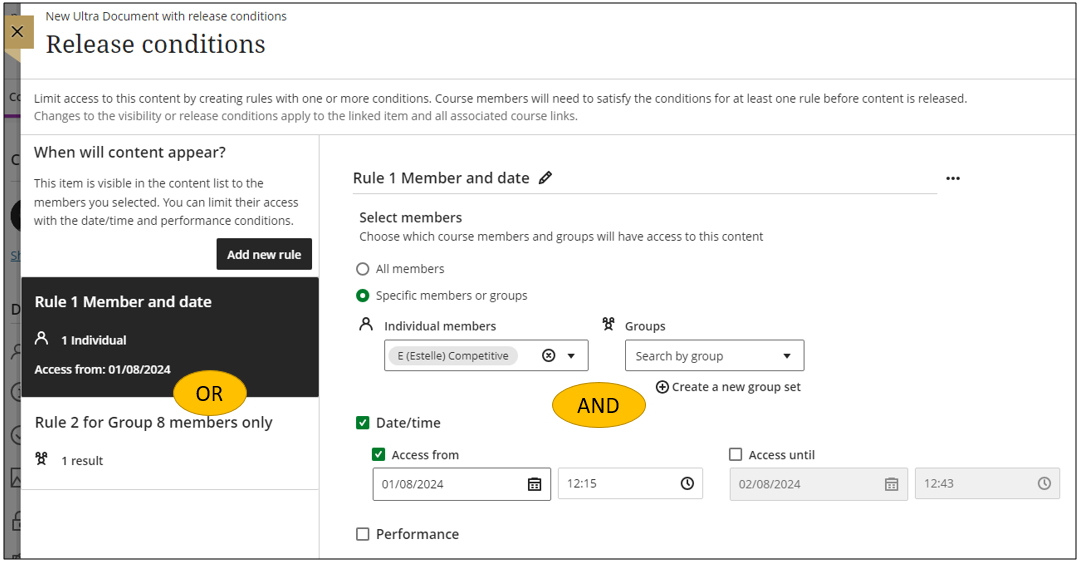
When you have a scenario where content should be released to a specific student at a specific time and another group should also have access to the content, you can use the multiple rule option where the content will display if a user adhere to either one of the rules (left side). Within a rule multiple criteria apply, i.e. the user and the date and time (right side).
Multiple activities
You can set more than one activity criteria per content item.
To set additional performance criteria, such as a second threshold the student must meet, select Add additional performance criteria.
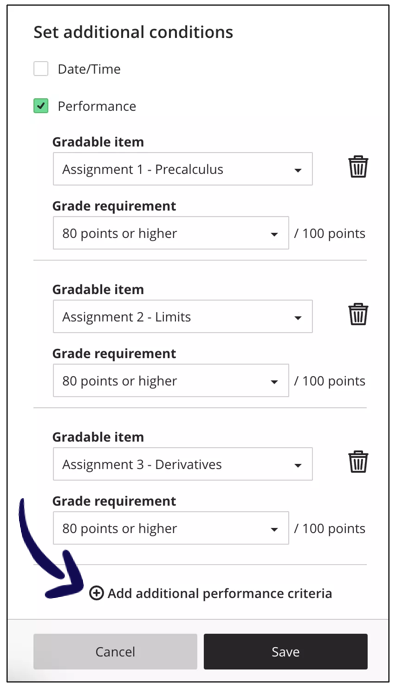
For example:
Students must read the content of Theme 1 and get 7 points or more for the Tutorial 1 before they can continue with Theme 2.
The release conditions will look as follows: