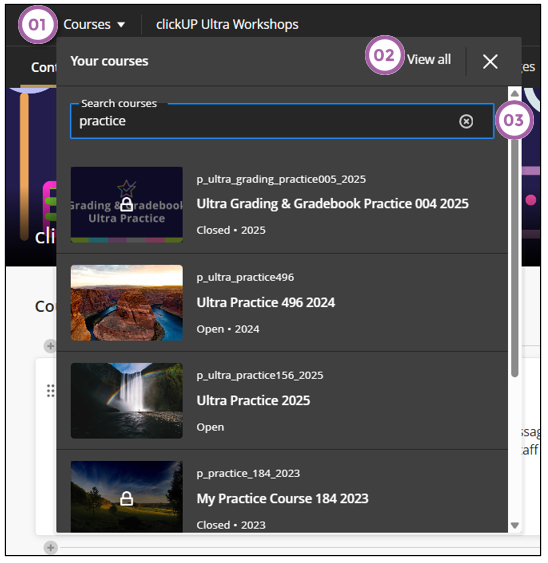
The Course Switcher provides streamlined navigation between courses, enabling users to quickly switch between courses.
- Access the course switcher from the down arrow to display the four most recent courses.
- The View All link opens the full Courses page.
- Use the search to find courses quickly.