Create an off-line group assignment so that the students can:
- see who else is with them in the group,
- meet in real-time online using Class Collaborate or
- contact each other using the Conversations tool (asynchronous).
Steps
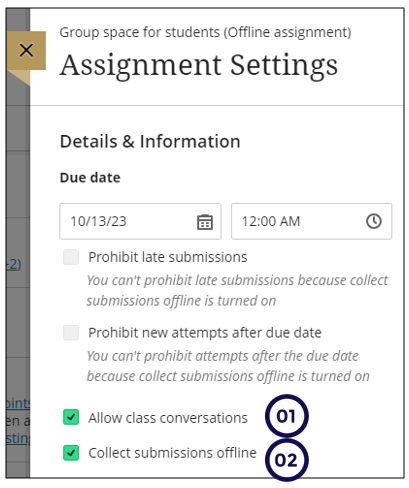
- Create the off-line assignment. Ensure that you have the following settings selected:
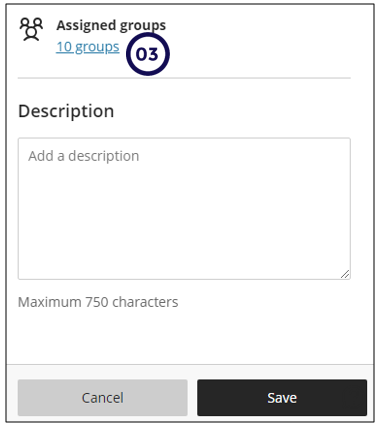
Scroll down
- Result for students
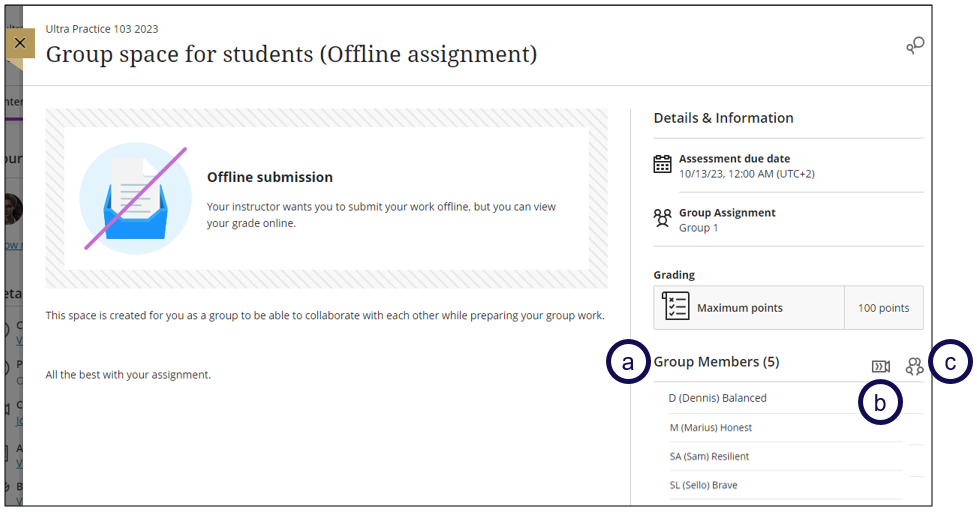
This is what the students will see:
a. Other group members
b. Class collaborate
c. Conversations