When you need to adjust grades, you can change the marks manually for a student.
Follow these steps:
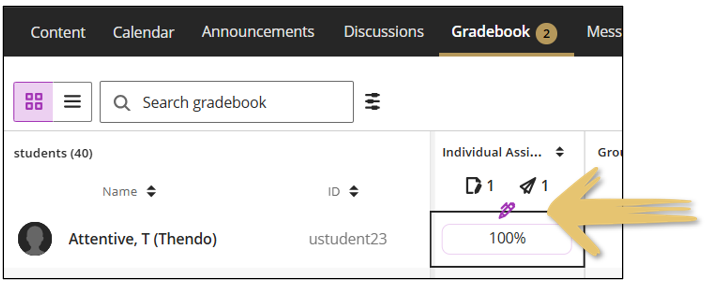
- Open the Gradebook on the Grid panel.
- Hover with your mouse over the cell which you want to override the grades.
- Notice the purple pencil. Click on the pencil to change the grade.
Good practice
Add an internal note on the student's profile that you updated the grade and why.
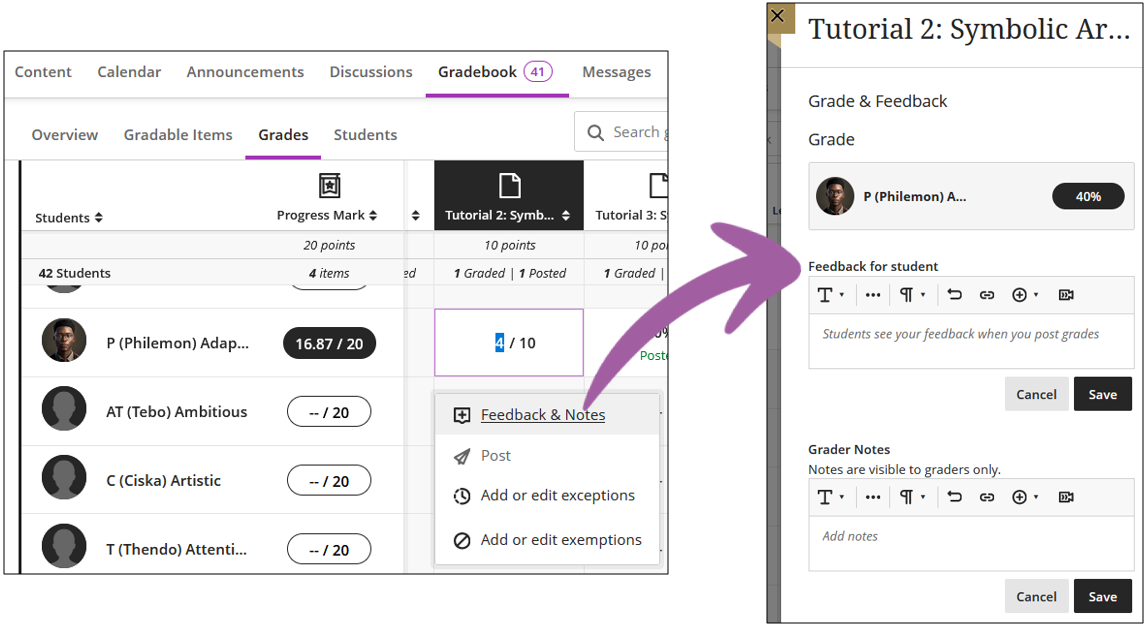
Remember to provide feedback to the student as to why the mark was changed:
Note
Students will receive a notifications in the Activity Stream that the grades were changed.