What is a session?
A session in Vevox is a dedicated space where you group all your polls, quizzes, surveys, and Q&A boards for a specific event or meeting. This can be for a face-to-face, online, or hybrid event. Sessions can be edited, duplicated, reused, deleted, renamed and shared with a colleague. They also store all the data collected during the event.
Steps to create your first or new Vevox session.
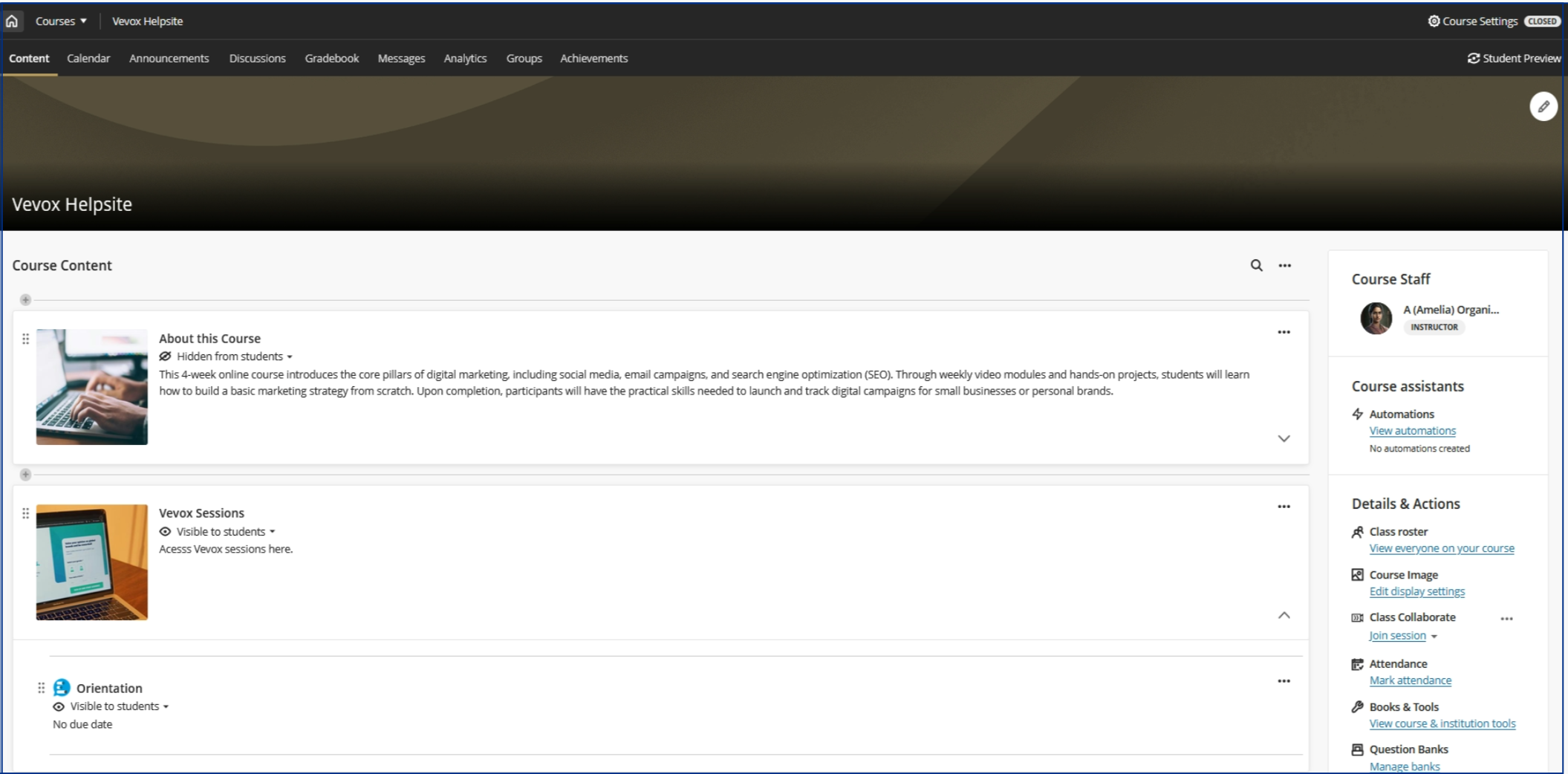
Log in to clickUP and access your module. If you have linked Vevox in your module before, click on the link to access your Vevox. Alternatively, first link Vevox to your module by following these steps.
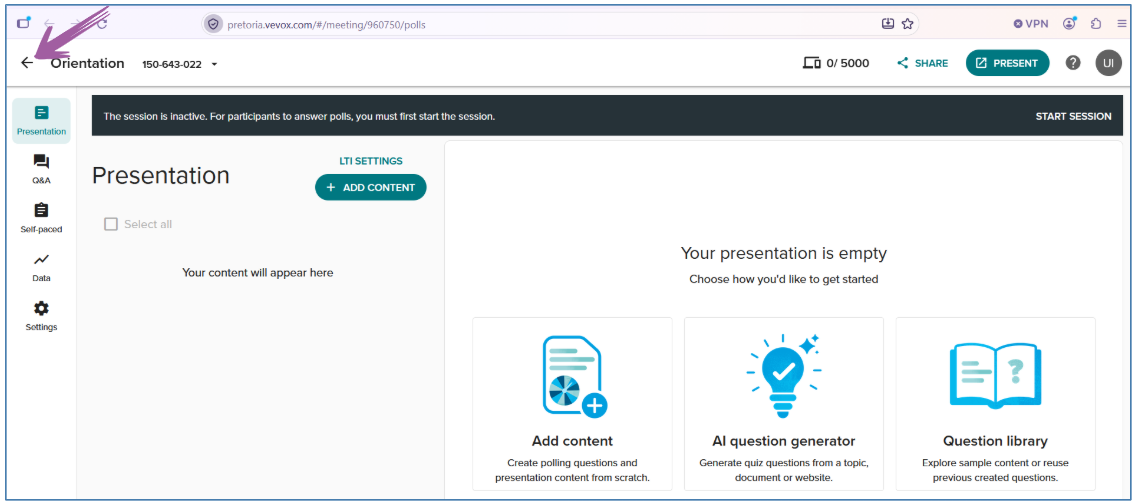
Click on the back arrow to access your dashboard.
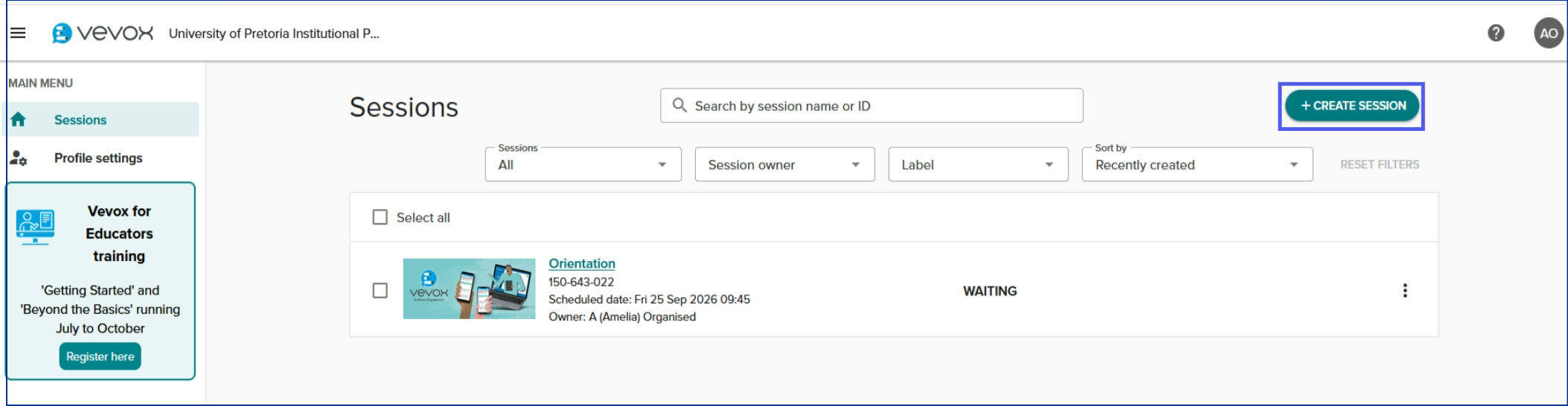
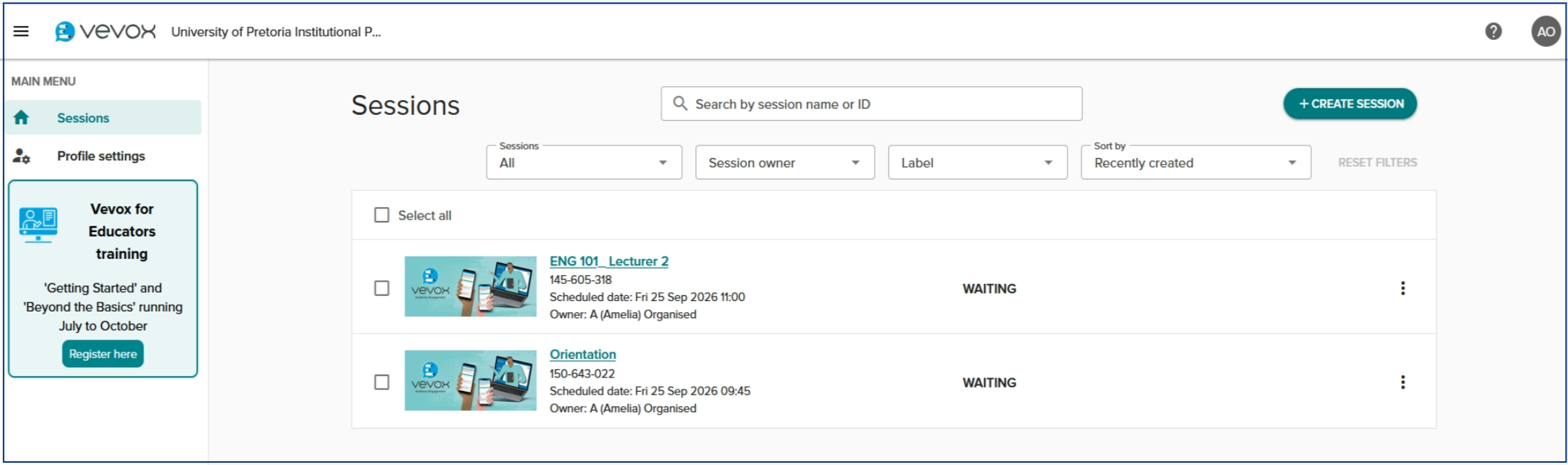
Your Dashboard
The Vevox Dashboard is the main workspace instructors can create, manage and monitor their Vevox sessions.
From the dashboard, you can:
Create or select a session
Create polls, quizzes and surveys
Manage Q&A activities
Configure session settings
View and manage participant responses
Access session results and reportsYour content goes here
Click the session, or click Create Session to add a new one.
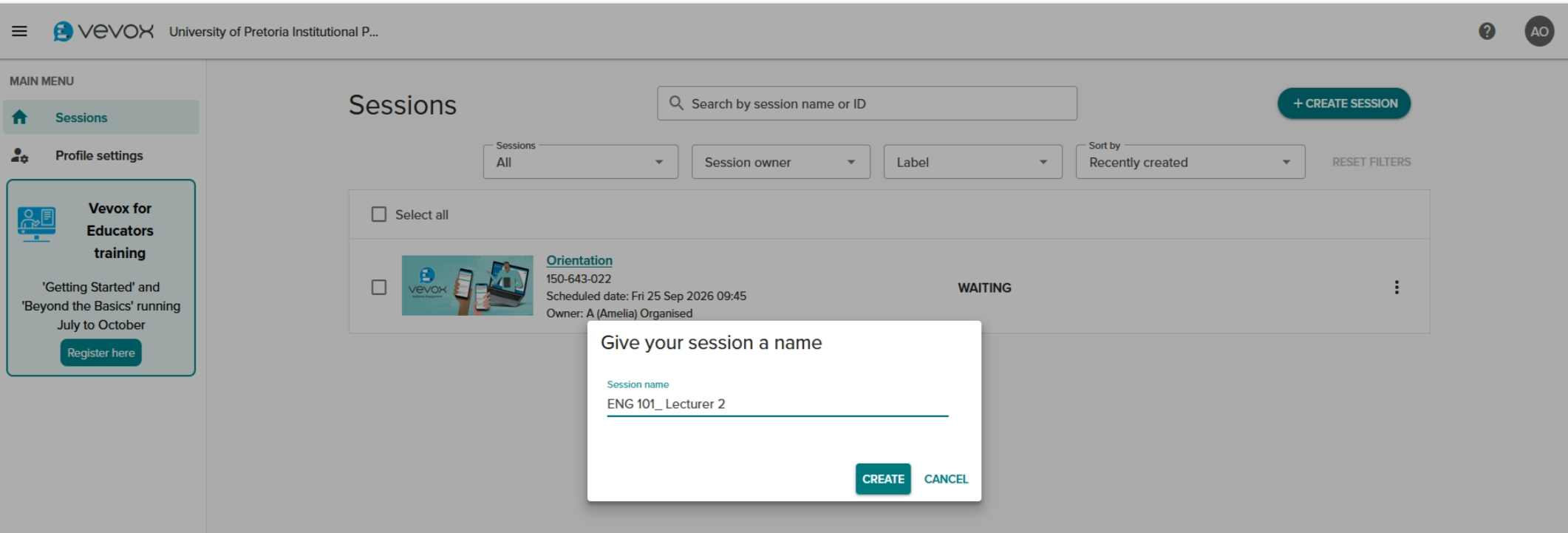
4. Give your session a descriptive name (e.g., Module code and Topic) and click Create. This will help with managing your sessions.
Once you have created your session, the next step is to add Content. You can choose between ‘Live polling’, ' self-paced Quiz’, or ‘Surveys’.