Use case
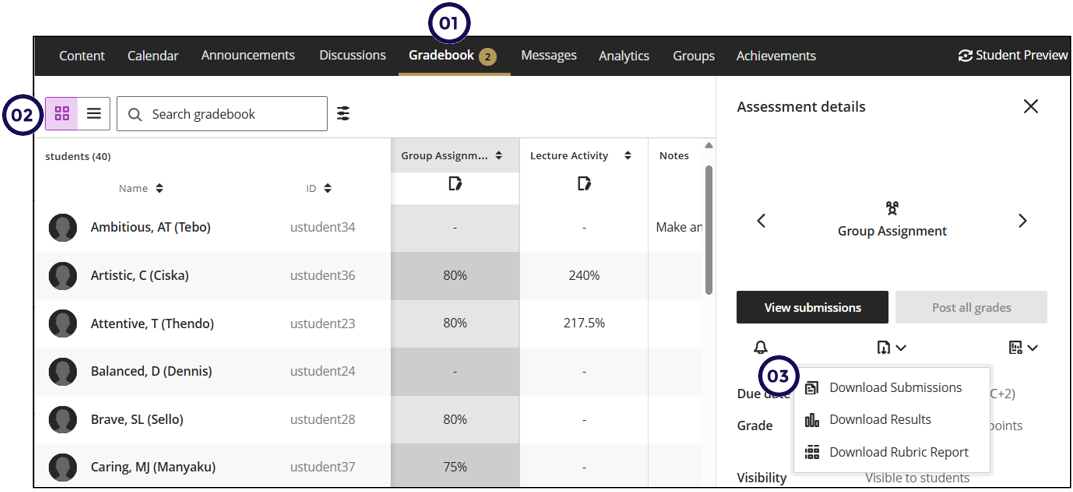
To keep a backup of the student submissions, you can bulk download their submissions from the Grid view.
To download the student submissions, follow these steps:
- Click on Gradebook.
- Click on the grid view icon.
- Click on the Assessment Name.
- Click on Download Submissions.
Download options
From this menu you can download the submission as well as the results and the rubric report.
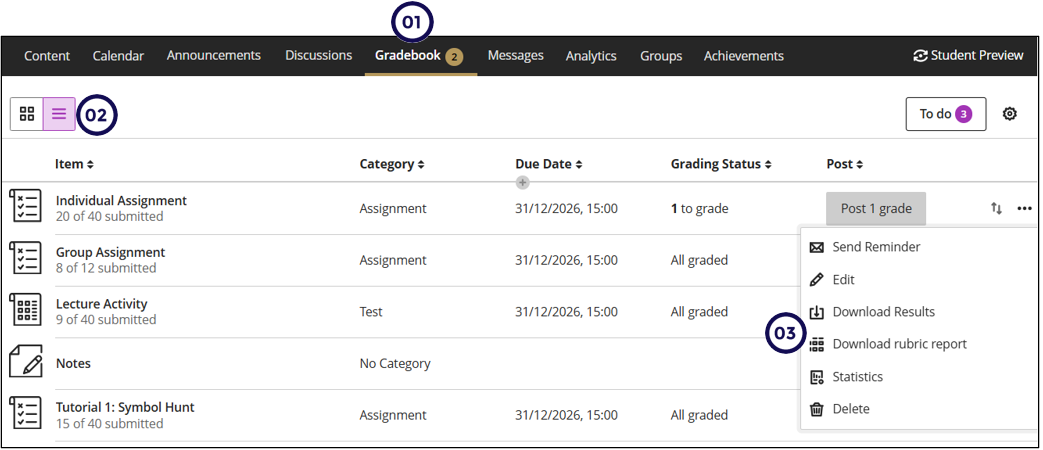
From the List view you can only download the results and the rubric report: