Instructors can set maximum message limits for AI Conversations to guide interaction length and keep discussions focused on the intended learning task. Students see a dynamic message counter that signals when they are nearing the limit, helping them manage participation and understand when the activity is complete.
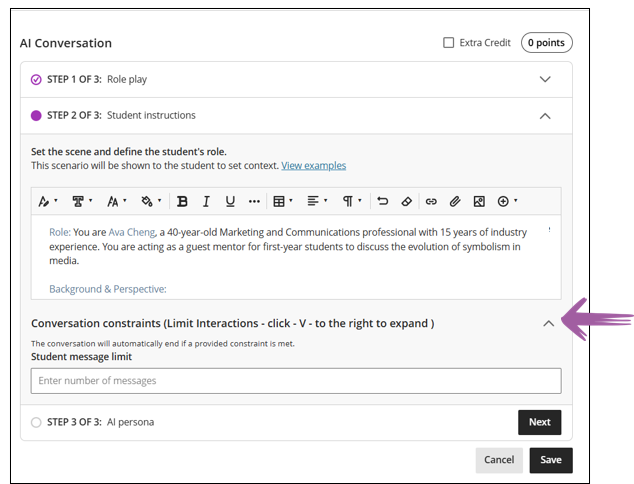
Take note of the down arrow
You need to click on the down arrow to set the message limit.
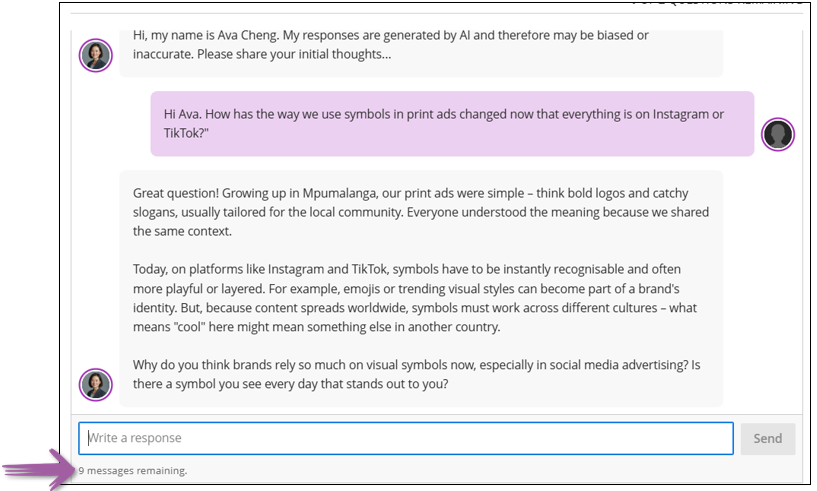
This is what it will look like from the student view:
Note the remaining messages
The arrow indicates the remaining messages.
Credit to Blackboard help