Instructors can use drag and drop to manage group membership in the Groups management experience. This makes it faster and more intuitive to assign and remove students from groups without relying on menus and selection lists.
Drag and Drop works only for unassigned students
Remove individual students from a group by unassigning them from another group:
-
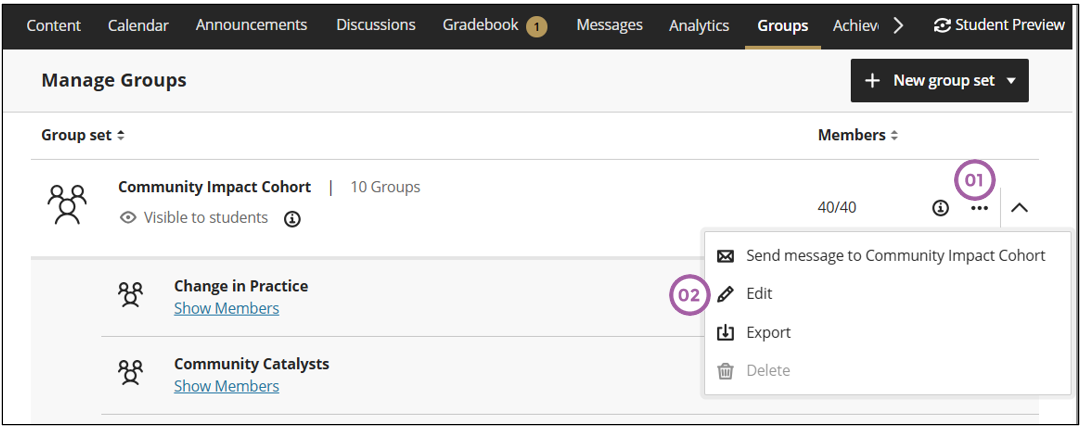
Click on the ellipses of the group set.
-
Click on Edit.
-
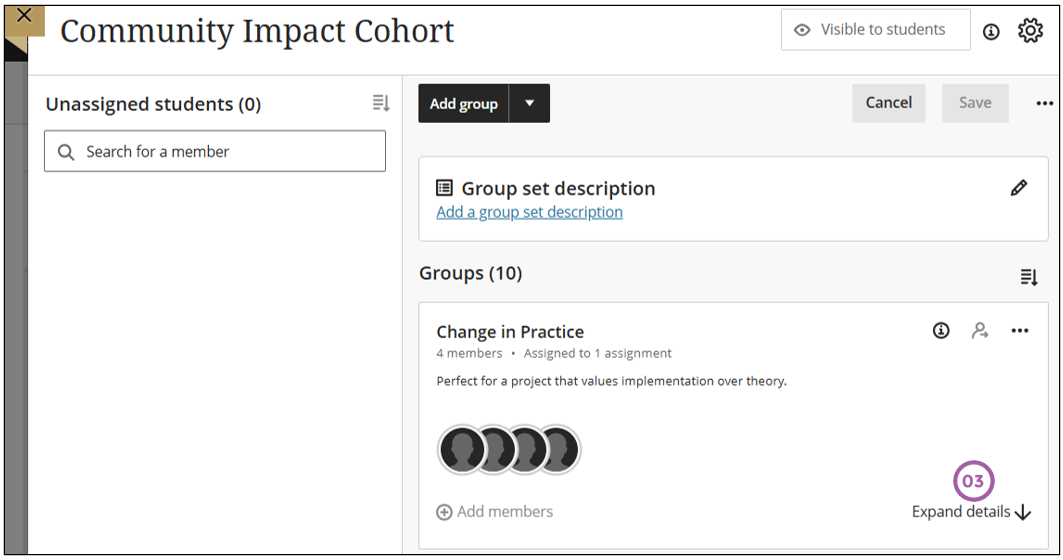
Click on Expand details
-
Move the mouse over the student who you want to unassign to display the unassign icon.
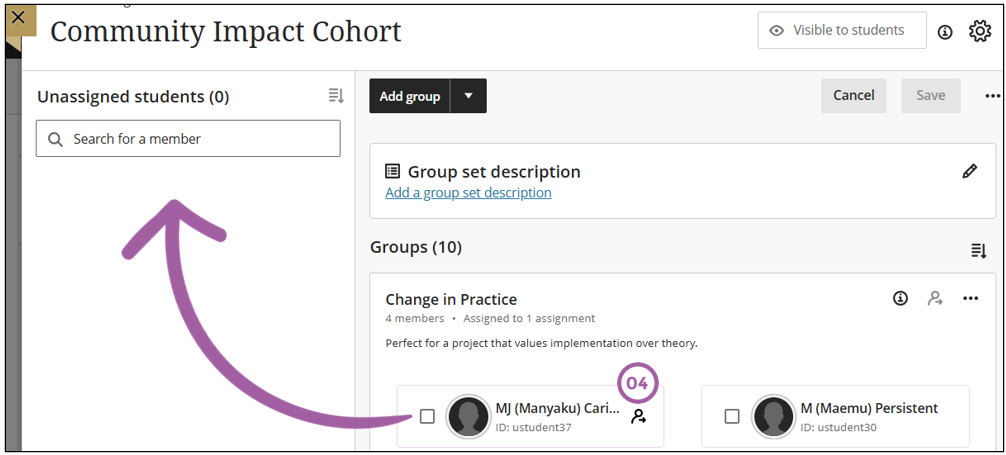
The result will display the student under the unassigned student panel.
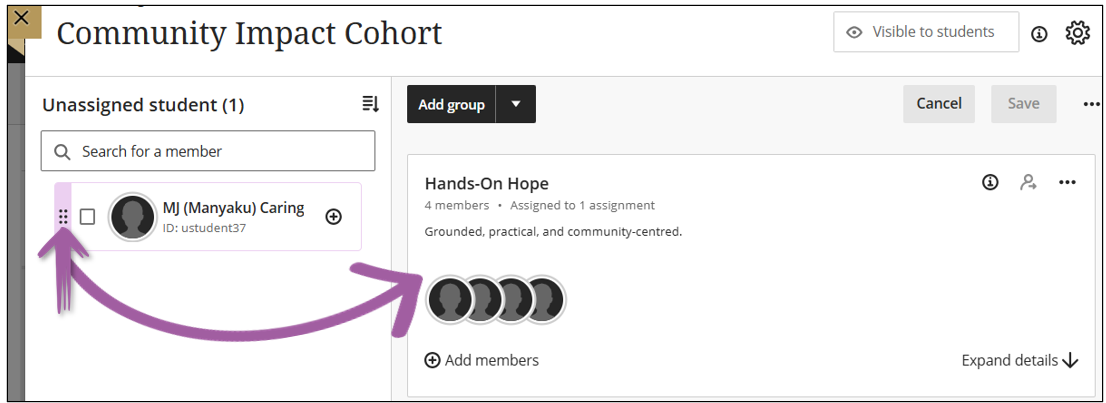
To assign the student to another group, move the mouse over the unassigned student to display the purple handle with which you can drag and drop the unassigned student to the group.
Credit to Blackboard help