The gradebook is populated with students when they're enrolled in your course. You'll see all the coursework that's specific to the course you're in. You can grade coursework, manage items, and post grades.
There are different views in the Gradebook that will display different functionalities:

- Grid view - this is where you will see all your student and will be able to grade the assessments.
- Gradable item view - this is where you will see the categories of each gradable item. You can also move the columns on this view.
- Search bar - You can search on the students' name, surname, ID, and also a gradable item.
- Filter -
- To Do - this is where you will find the needs grading and the post grades options.
- Settings
When you click on a column heading (the name of the gradable item), then the Assessment details panel will display.
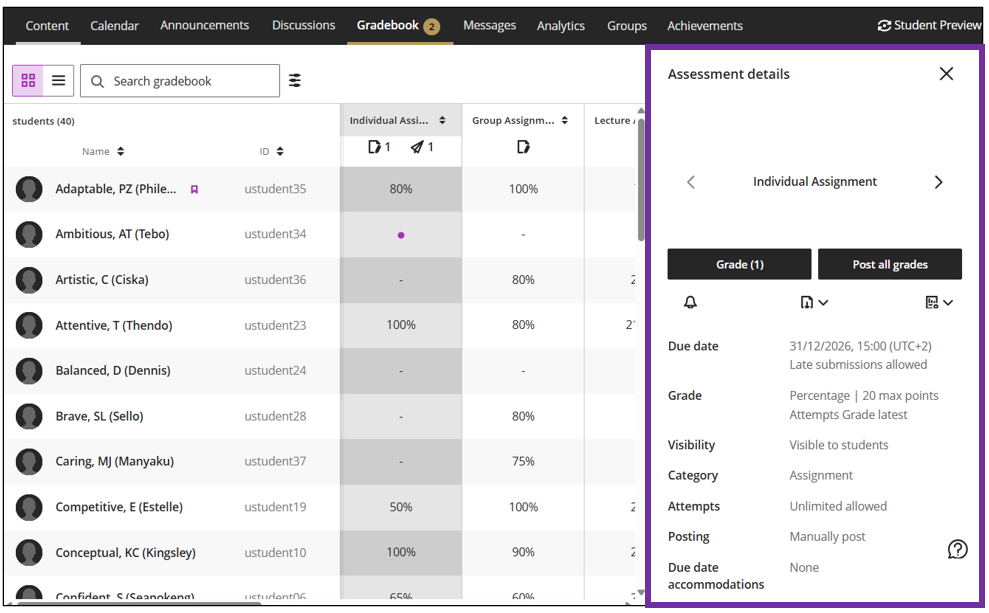
Gradable item: visible or hidden
Unfortunately we lost the visible indication if a gradable item is hidden or visible. You will only be able to see that from the Assessment details panel.
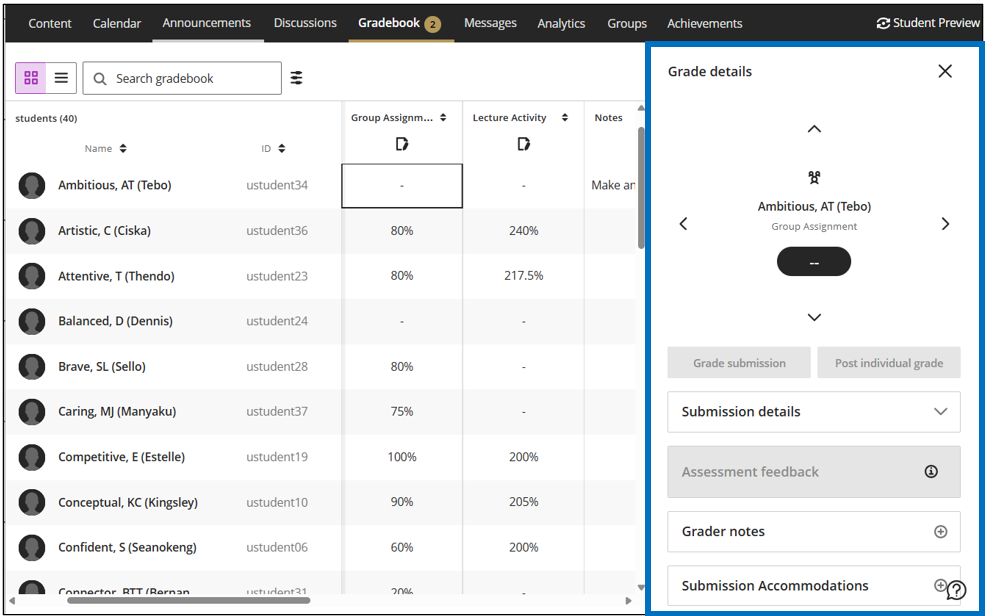
When you click on a cell, then the Grade details panel will display.
Read more ...
Credit to Blackboard Help